Introduction
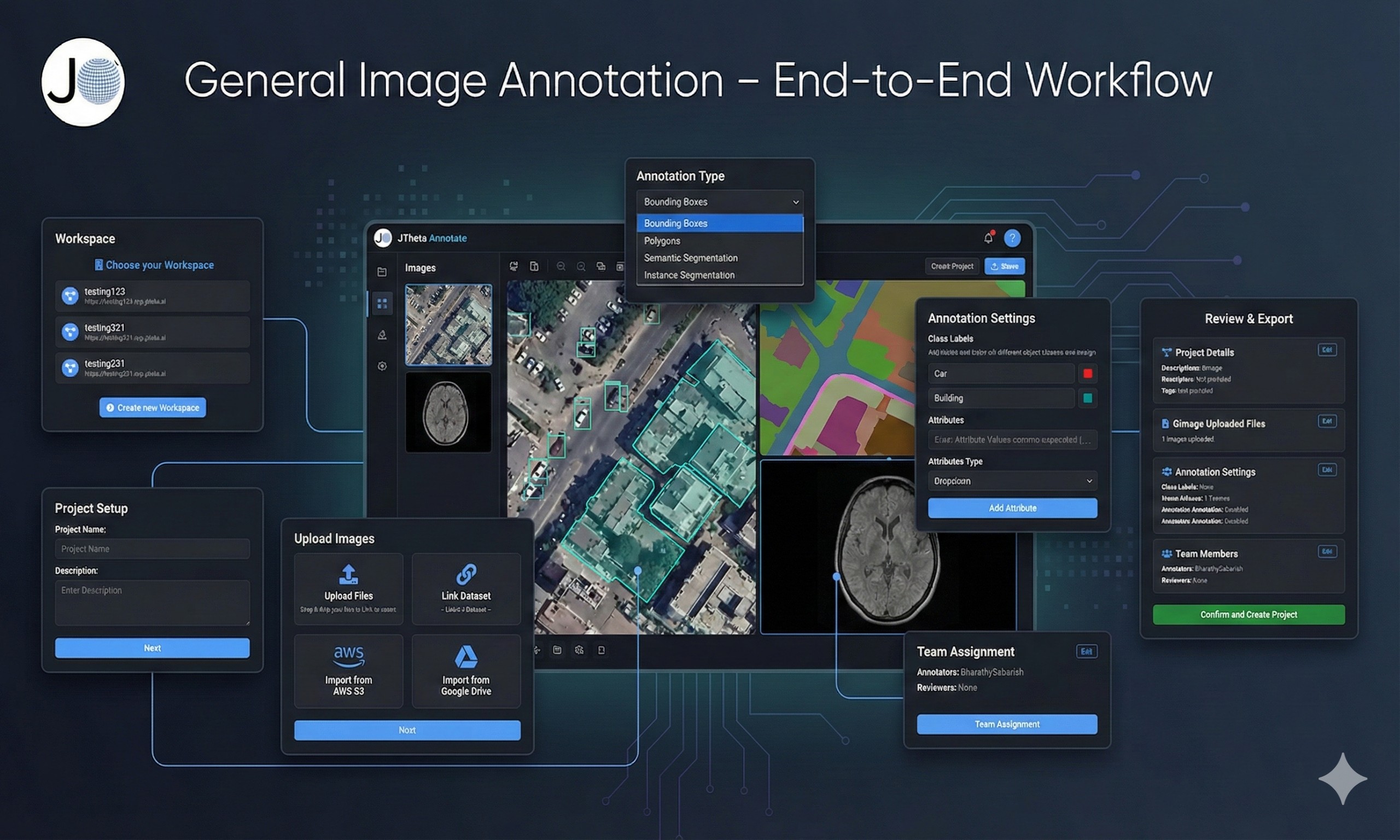
High-quality AI depends on high-quality annotated data. But how does raw data turn into structured, labeled datasets ready for machine learning? At [Your Company Name], we provide a seamless end-to-end annotation workflow — from project creation with datasets to final export.
Here’s how it works:
🔹 Step 1: Create a Project & Add Your Dataset
The workflow begins by creating a new annotation project.
Upload or link your dataset directly within the project setup.
Add multiple datasets if needed for comparison or multi-source training.
Ensure secure and organized dataset management right from the start.
🔹 Step 2: Define Classes & Annotation Types
During project creation, you can also set up the annotation schema:
Define class labels (e.g., Car, Person, Building, Tumor).
Choose annotation types such as bounding boxes, polygons, keypoints, or segmentation masks.
Standardizing classes at this stage ensures annotation consistency.
🔹 Step 3: Assign Annotators & Reviewers
Once the project is ready, tasks are distributed:
Annotators label the images or scans.
Reviewers validate annotations for quality.
Role-based workflows ensure accountability and collaboration.
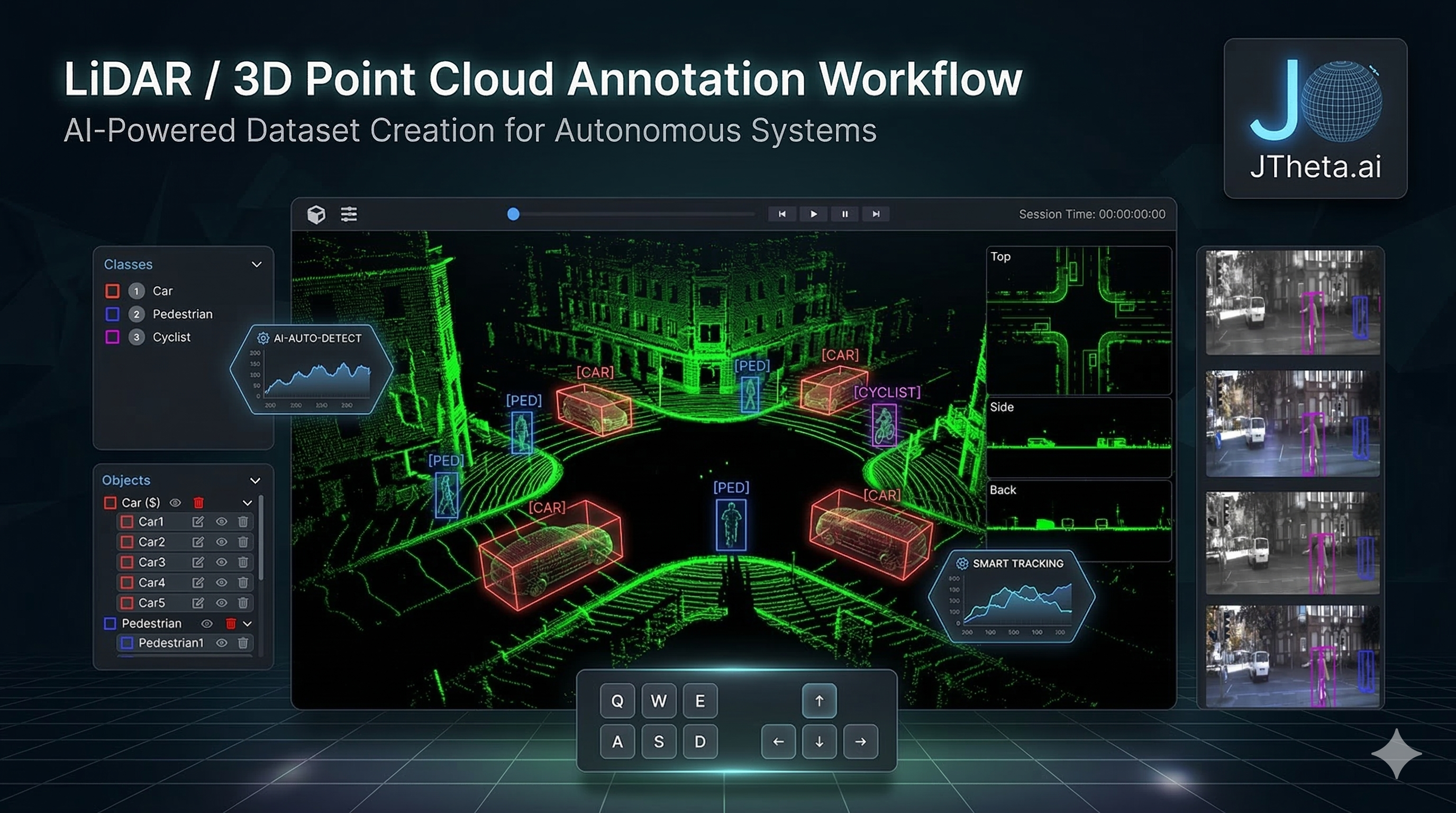
🔹 Step 4: Annotate with AI-Assist + Human Precision
This is where the real annotation happens:
AI-Assist tools pre-label objects, speeding up repetitive tasks.
Annotators refine results with manual adjustments for accuracy.
Works across all domains: medical scans, satellite images, LiDAR point clouds, and general images.

 admin
admin